Pay Your O8 Invoice in 2 Minutes
Use ACH, credit card, or wire transfer. Here's exactly how to complete your payment securely.
In the digital age during periods of uncertainty, climate change, and occasional civil unrest...now is the time to make payments electronically rather than sending paper checks if at all possible.
You can choose to pay via 2 different methods, as follows. We do not accept payments via credit card due to the higher dollar amounts in which we deal.
Step A: Online Payment
First, click the link from your email to view one of your invoices online, then click on "Web Invoice."

Next, click on the "Pay Invoice" button. You can now proceed to pay via two different options below, via ACH.
Step B (Option 1): Pay with Automatic ACH
You will be presented with an option to Pay with Bank Transfer (ACH). Harvest will automatically guide you through the smooth process of verifying your bank account and authorizing payment.
Once we've confirmed your payment, you will be automatically sent a receipt.
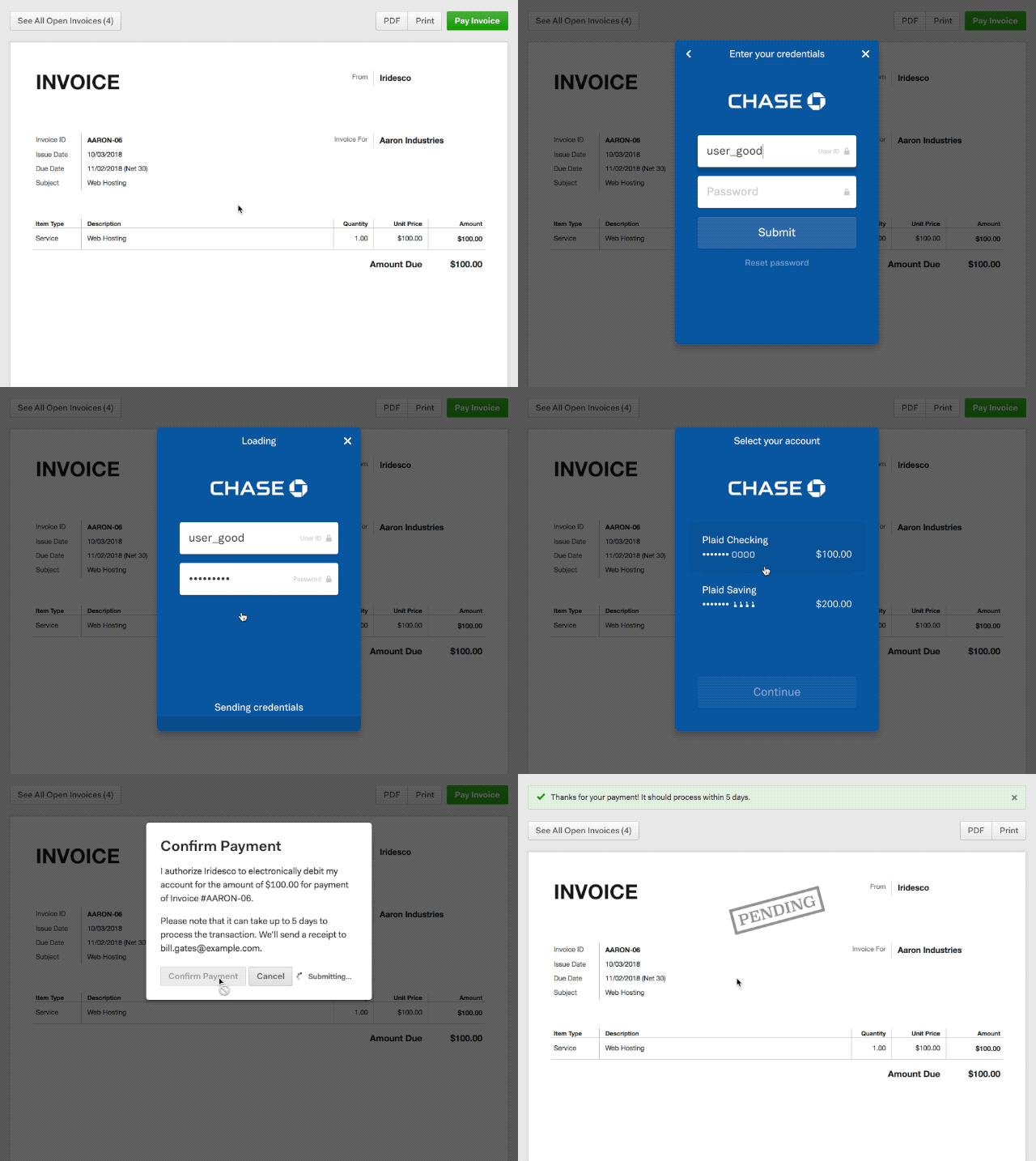
Step B (Option 2): Pay with Manual ACH or Wire Transfer
Reply to the email you received with your invoice and let us know you would prefer to pay via ACH or wire transfer. We will give you the appropriate account information to do so.